
Implementing Hello World
This tutorial provides the instructions for using sbt
(simple build tool) from a command window to build the application, but you can also integrate Play projects
with your favorite IDE.
To see how simple it is to work with Play, let's add a customized "Hello World" greeting to this tutorial app. The main steps include:
Create the Hello World page
Follow these instructions to add a new page:
- With any text editor, create a file named
hello.scala.htmland save it in theapp/viewsdirectory of this tutorial project. - Add the following contents to the file:
@main("Hello") {
  <section id="content">
    <div class="wrapper doc">
      <article>
        <h1>Hello World</h1>
      </article>
      <aside>
        @commonSidebar()
      </aside>
    </div>
  </section>
}
The Twirl and HTML markup for your new page accomplishes the following:
- The
@sign tells the template engine to interpret what follows.In this case,
@main("Hello")calls the main template,main.scala.htmland passes it the page title ofHello. - The
contentsection contains theHello Worldgreeting. The main template will insert this into the body of the page. - The
<aside>section adds the TOC to the right side so that you will be able to navigate back to this page.
- The
Add an action method
Next, add an action method that will render the new page. To keep things simple, you will add the new controller to the existing class. In a real application, you can organize controllers in multiple classes if you wish.
Open the app/controllers/HomeController.scala file and add the following method:
def hello() = Action { implicit request: Request[AnyContent] =>
  Ok(views.html.hello())
}
This method has no input parameters and simply renders the new hello page.
Define a route
A route tells Play how to handle incoming requests and includes the request path, an HTTP
method, and the controller action to invoke. When you add a route to the routes file, Play's
routes compiler will automatically generate a router class that calls that action using an instance of that
controller. For more information see HTTP Routing. By default, the controller instances are created using dependency
injection. See Dependency Injection for more information.
To define a route for the new page:
- Open the
conf/routesfile. - Below the
tutorialpage route, add the following line:GET /hello controllers.HomeController.hello
Test the new page:
- If you stopped the application for some reason, restart it with the
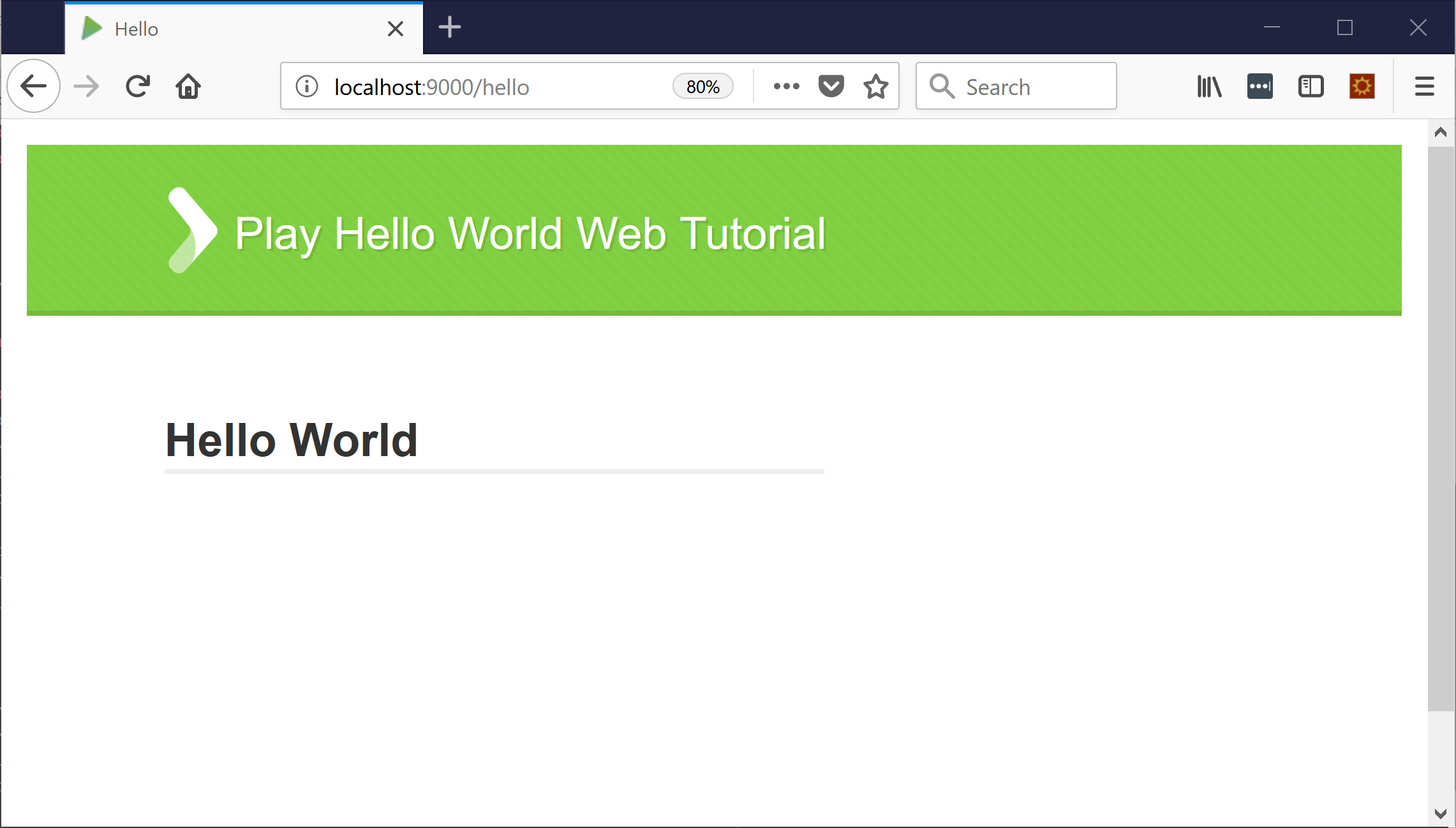
sbt runcommand. - Enter the URL http://localhost:9000/hello to view the results
of your work. The browser should respond with something like the following:
Customize the greeting
As the final part of this tutorial, we'll modify the hello page to accept an HTTP request parameter that passes in a name. The steps include a deliberate mistake to demonstrate how Play provides useful feedback.
To customize the Hello World greeting, follow these steps:
- In the
app/controllers/HomeController.scalafile, modify thehelloaction method to accept aname: Stringparameter. The modified action should look like the following:def hello(name: String) = Action { Ok(views.html.hello()) } - In the
conf/routesfile, add a(name: String)parameter at the end of the/helloroute:GET /hello controllers.HomeController.hello(name: String) - In Twirl templates, all variables and their types must be declared. From the
app/views/directory, open thehello.scala.htmlfile and do the following:- Insert a new line at the top of the file.
- On that line, add an
@directive that declares the name parameter and its type:@(name: String). - To use the variable on the page, change the text in the
<h2>heading fromHello Worldto<h2>Hello @name!</h2>.
To test the cusomization:
- Open a new browser tab
- Enter the following URL and pass in any name as a query parameter to the hello method: http://localhost:9000/hello?name=MyName.
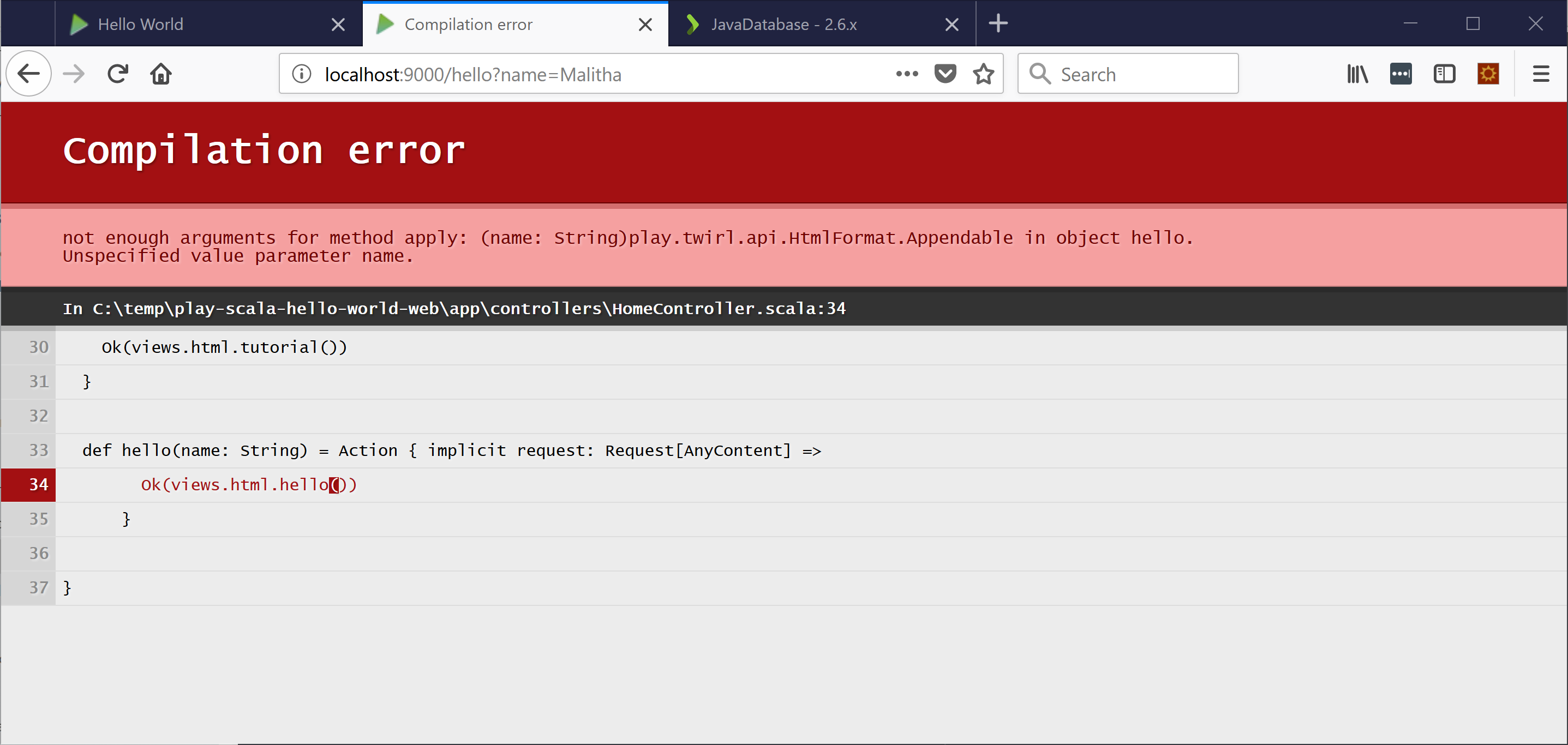
Play responds with a helpful compilation error that tells you the file and line number causing the problem. The message shows that the render method in the return value requires a typed parameter:
-
To fix the compilation error, modify the
helloaction method inHomeControllerso that the it includes thenameparameter when rendering the view:def hello(name: String) = Action { Ok(views.html.hello(name)) } -
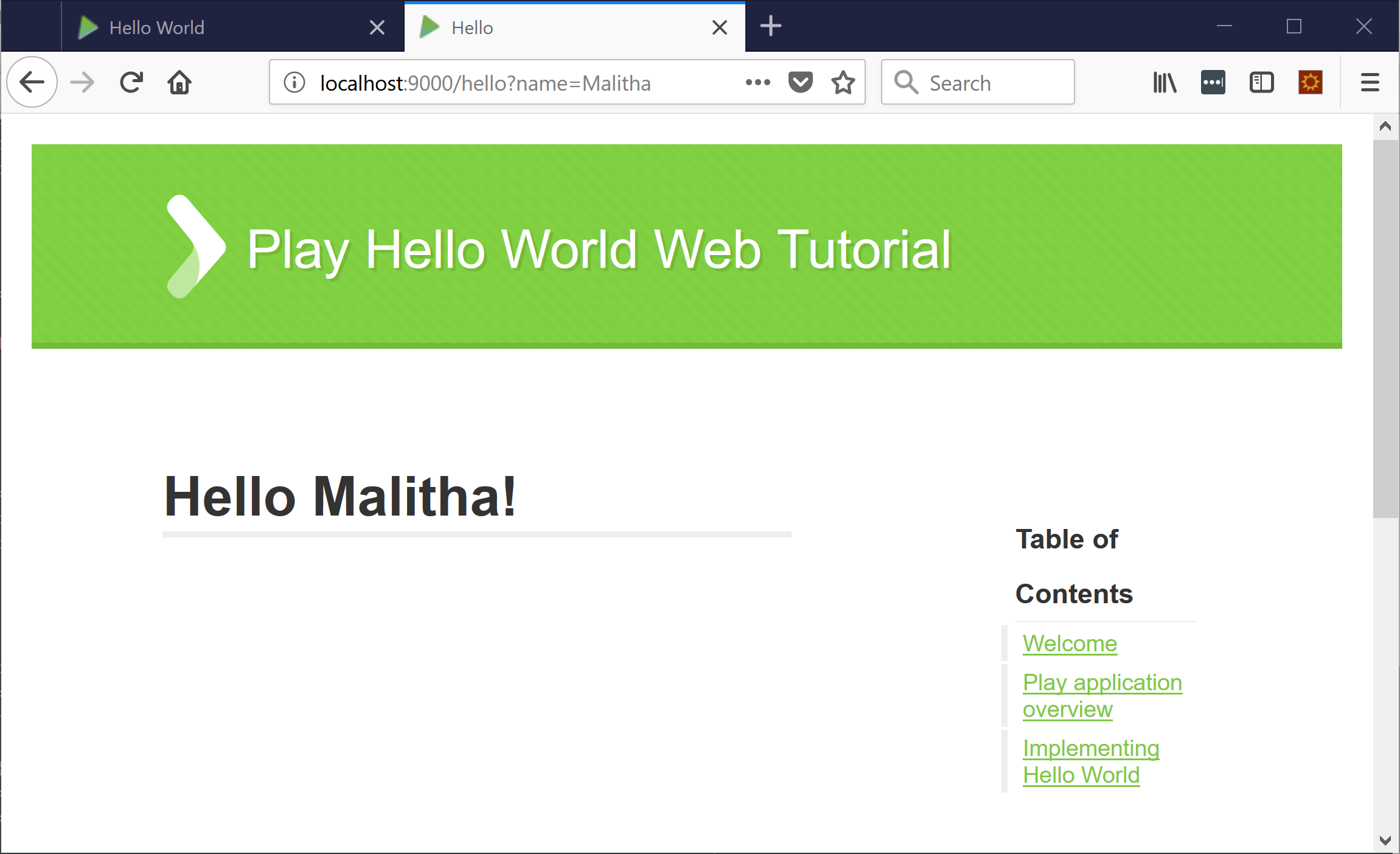
Save the file and refresh the browser. Play detects the change, automatically recompiles, and reloads the page. The page should display a customized greeting similar to the following:
Summary
Thanks for trying our tutorial. You learned how to use an action method, routes, Twirl template, and input parameter to create a customized Hello World greeting! You experienced how template compilation makes it easier to identify and fix problems and how auto-reloading saves time.
Next steps
To learn more about Play, check out these resources:
- Documentation: Main concepts for Scala
- Play Example Apps, just clone or download zip and run.
- Podcast: What makes Play Framework so fast?